Delete a queue
-
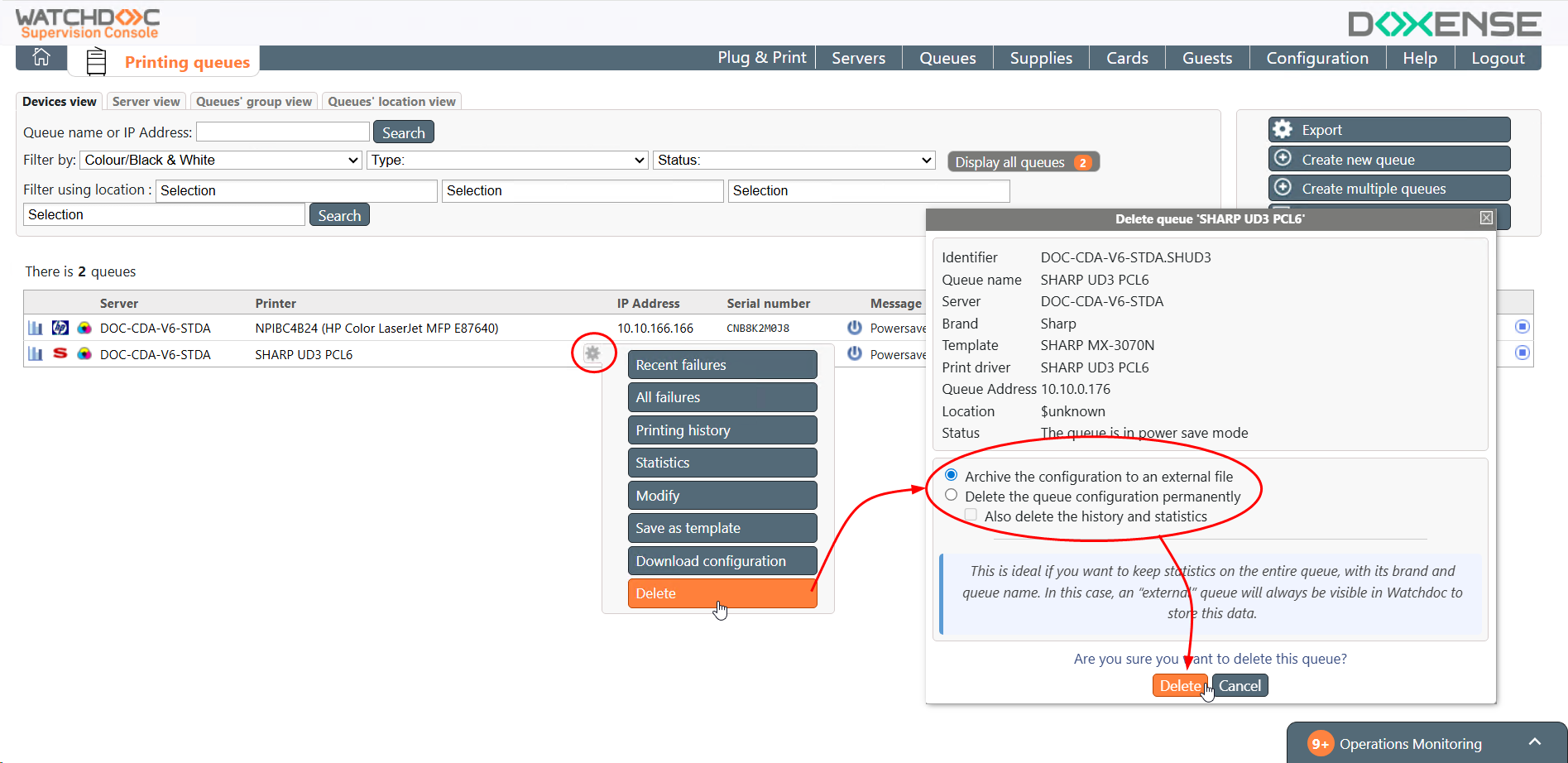
From the WSC print queue management interface, in the queue list, click the button to the right of the name of the queue you want to delete;
-
then click the Delete button;
-
in the Delete Queue interface, you can:
-
Either tick Archive the configuration to an external queue: to keep the queue administration data (brand, queue name and statistics) in the form of an external queue whose data can be consulted and which can be reactivated later;
-
or Permanently delete the queue configuration, specifying whether you wish to:
-
Also delete the history and statistics so that nothing is retained from the queue – neither its configuration nor its data (to recreate a configuration whilst retaining the history and statistics from the previous queue, this box must be unticked);
-
Also delete the monitoring data: to delete the history of the counters in the database as well
-
-
-
Confirm the deletion by clicking Delete: