Activate license key
To activate the Watchdoc licence key:
-
Access the Watchdoc administration interface as an administrator;
-
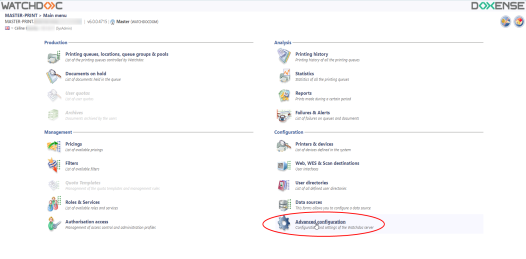
From the Main Menu, in the Configuration section, click on Advanced configuration:
-
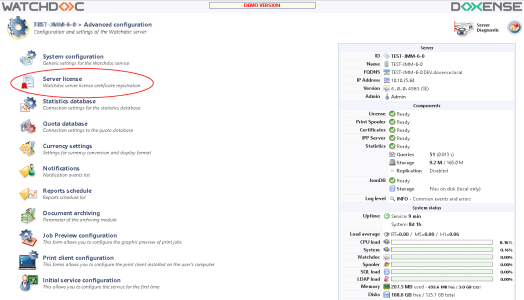
In Advanced configuration click on Server license;
-
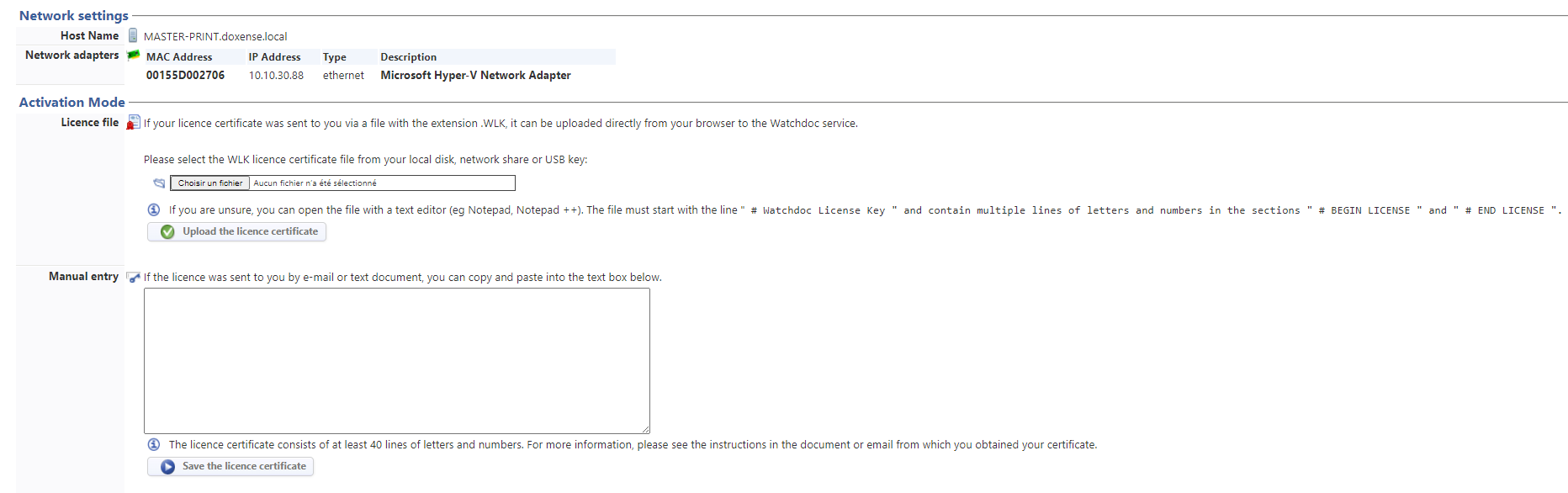
4. in the Server License interface, in the Activation modes section, choose one of the two registration modes:
-
in the Licence file section, click on the Choose file button and browse your workspace to select the certificate file, then click
 ;
;
-
in the Manual entry section, copy/paste the block of text between BEGIN LICENSEand # END LICENSEin the certificate file, then click
 .
.
-
-
When the licence has been successfully registered, Watchdoc takes you back to the Main Menu of the administration interface.
→ Next step : Supervision console activation