Prerequisites
Before installing Skyprint, check that you have the following prerequisites:
-
Skyprint must be installed on an MS Windows® server ;
-
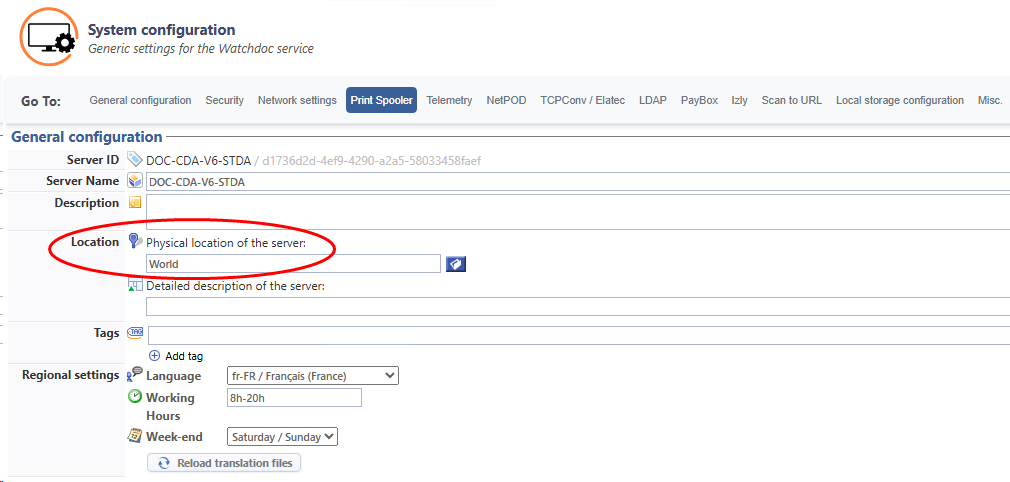
an operational Watchdoc associated with a location (‘World’ at a minimum if locations are not used in your organisation);
-
a Supervision Console (WSC) integrating operational guest database management;
-
an operational (and configured) mail server (internal or cloud);
-
a dedicated Skyprint email address configured in the mail server (e.g. skyprint@mon-organisation.com);
-
mail server connection details (email address and associated password, server name, port, protocol);
-
an account authorised to manage guest accounts in WSC (read, modify, create, delete);
-
a directory account assigned the Skyprint role (responsible for submitting documents): this can be a user account configured with this access right, a dedicated account created specifically in your directory or in the WSC Guests database. This account must not be registered in a directory requiring two-factor authentication (2FA), such as Entra ID, for example.
-
a default directory including the WSC Guests database. Generally, the META directory is used for this meta-directory function.
-
the user must have an email address.
-
in its initial version, Skyprint only processes documents in PDF format.
Data privacy
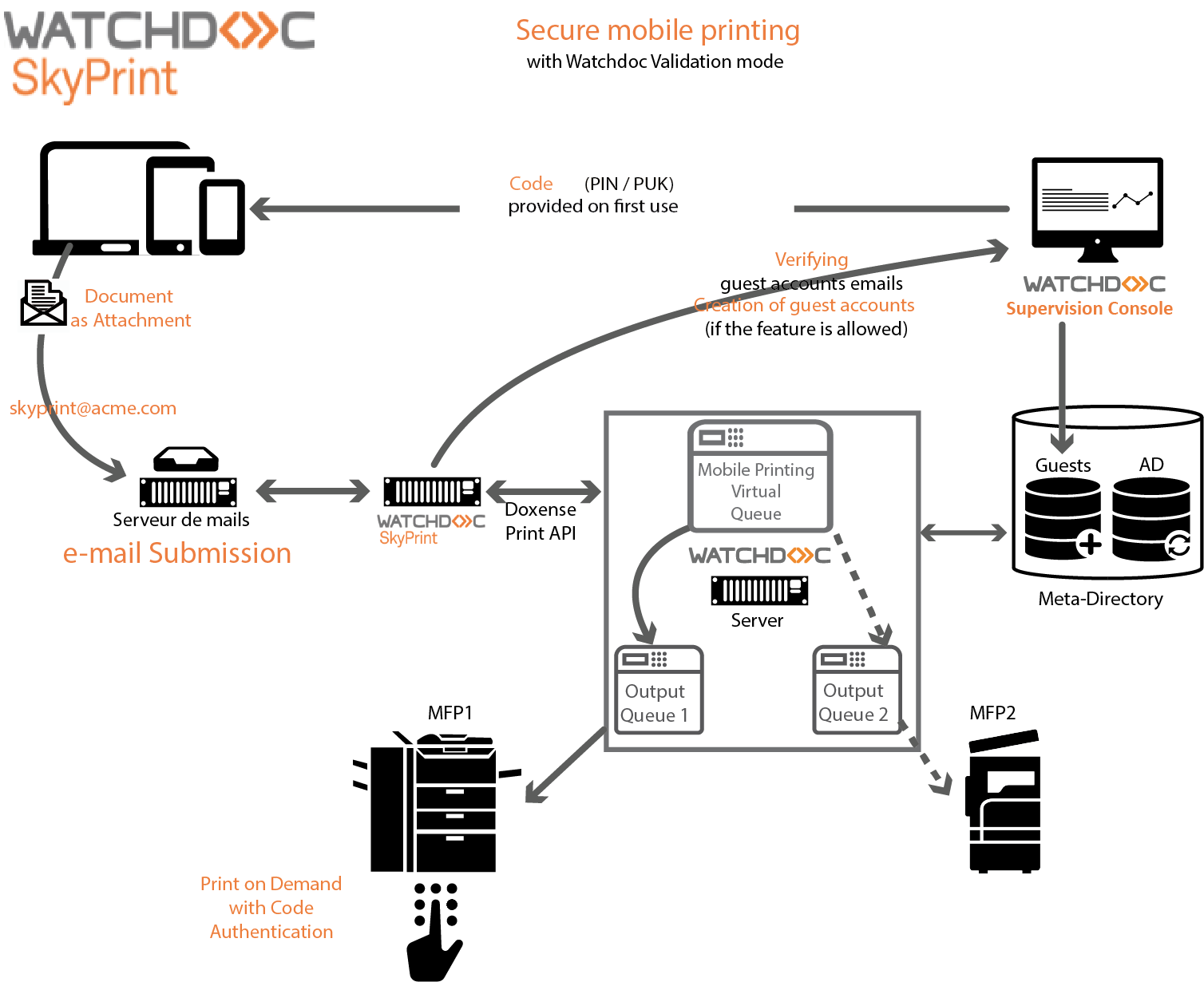
Skyprint allows users to send their documents to print by emailing them to a dedicated address. For the service to work, Skyprint requires a user email address: this address is used to identify the user in the directory or, if necessary, to create a guest account if the automatic creation option is enabled.
When a user submits a document by email, Skyprint must be able to read the contents of the mailbox associated with the configured address (via IMAP, Exchange or another supported protocol) in order to:
-
extract the attachment containing the document to be printed;
-
verify that the email comes from an address authorised according to the rules defined in the ‘email acceptance conditions’ configuration ;
-
detect the corresponding user in the directory (or create a guest account), and, if ‘validation’ mode is enabled, send a code (PIN or PUK) by email to unlock printing on the device.
In other words, SkyPrint handles personal data (email address, potentially the identity of the user linked to that address) and requires read access to emails to process print requests.
This operation must be taken into account in your data and access management policy, in particular to guarantee the confidentiality and security of emails used by Skyprint. Once processed, emails are deleted by Skyprint.
Functional diagram
Checks
Check that the Watchdoc server is attached to a location.
Access the Watchdoc master server as an administrator.
-
From the Main Menu, Configuration section, click on Advanced Configuration.
-
In the Advanced Configuration interface, click on System Configuration.
-
In the General Configuration section, Location parameter, check that a location is correctly configured for the server: