Principle
The Watchdoc Print API certificate is required to use Watchdoc Print Client (for Windows, for Android, for Chrome, and Skyprint).
This certificate is requested during the installation procedures for these modules. It is therefore necessary to download the certificate beforehand.
This certificate can be exported in two different formats:
-
.der file
-
as a string of characters (base 64).
Procedure
Export the Print API certificate in .der format
Log in to the Watchdoc administration interface.From the Main Menu, Configuration section, click Advanced Configuration > System Configuration.In the Miscellaneous section, click Export Certificate: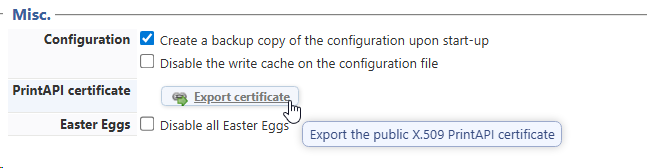 the generated file is named print_api_cert.der. Save it in the installation folder of the relevant Watchdoc Print Client (by default C:\Program Files\Doxense\[WPC or Skyprint]):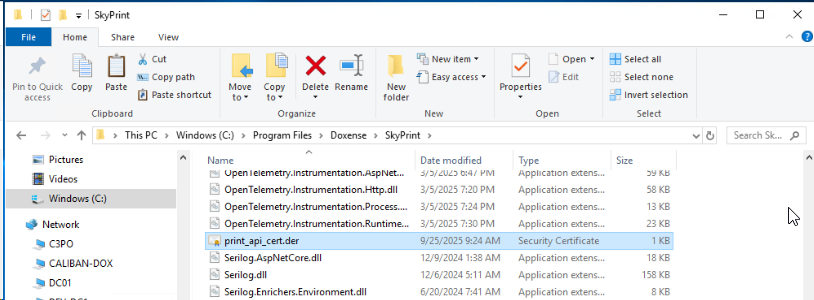
èyou can then continue with installation.
-
Log in to the Watchdoc administration interface.
-
From the Main Menu, Configuration section, click Advanced Configuration > System Configuration.
-
In the Miscellaneous section, click Export Certificate:
-
the generated file is named print_api_cert.der.
Save it in the installation folder of the relevant Watchdoc Print Client (by default C:\Program Files\Doxense\[WPC or Skyprint]):
èyou can then continue with installation.
Copy the character string of the the Print API certificate
If the certificate is expected in the form of a character string (in base 64, as in MS Intune, for example):
-
Log in to the Watchdoc administration interface.
-
From the Main Menu, Configuration section, click on Advanced Configuration > Client's Configurations:
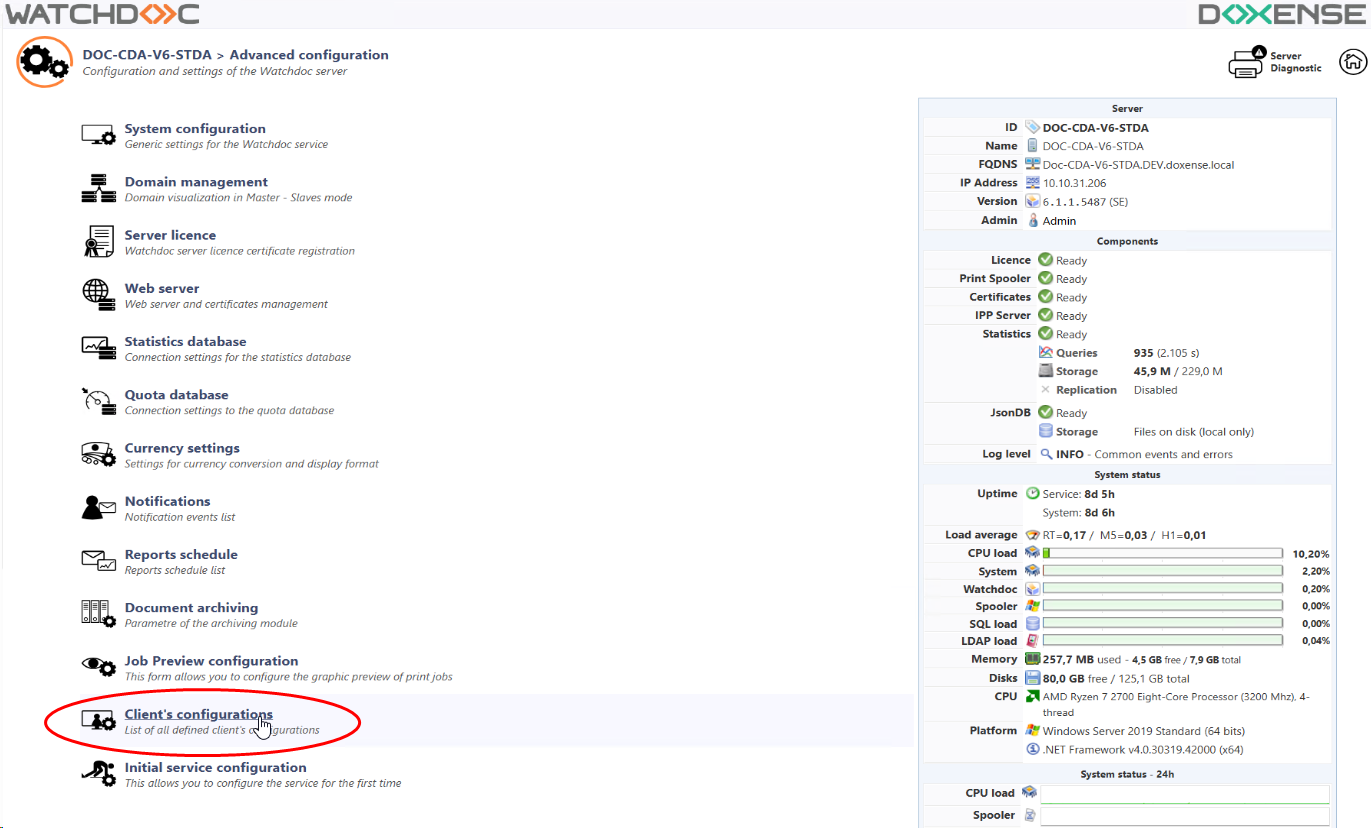
-
in the Client's configurations list, edit the configuration corresponding to the Print API (DEFAULT by default in Watchdoc):
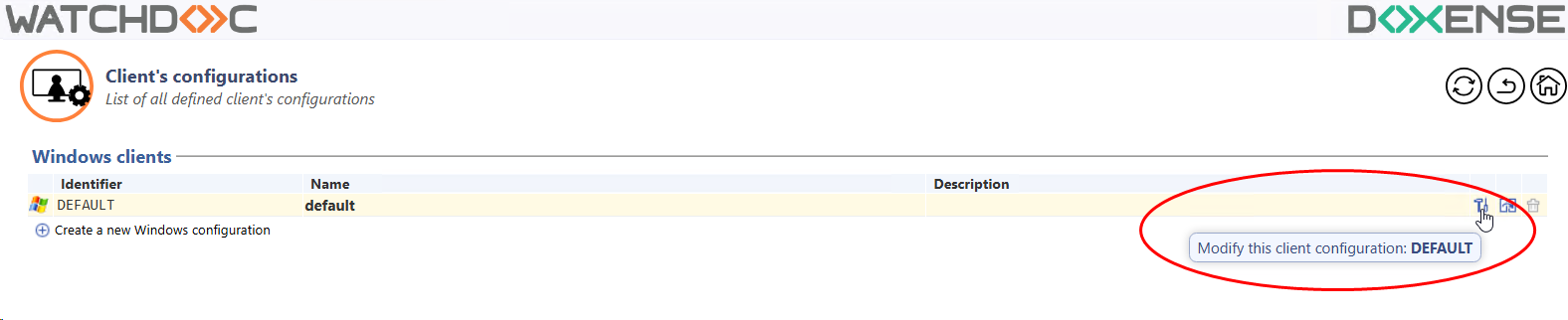
-
in the Client Windows configuration, Installation section, copy the Print API certificate:

-
Copy this string into a text editor and save it in your workspace so that you have it available when you need it.