Ricoh WES - Uninstall the Ricoh WES with the Ricoh deployer
Uninstall the WES
To uninstall WES from one of the devices with the WES Ricoh deployer:
-
in the Actions section, click the Get Devices button;
-
the lower section displays all Ricoh® devices installed on the server;
-
in the list of devices, check the box next to the device from which you want to uninstall WES;
-
click the Uninstall Application button to begin uninstalling WES from the selected device(s);
-
a progress bar shows the progress of the operation;
-
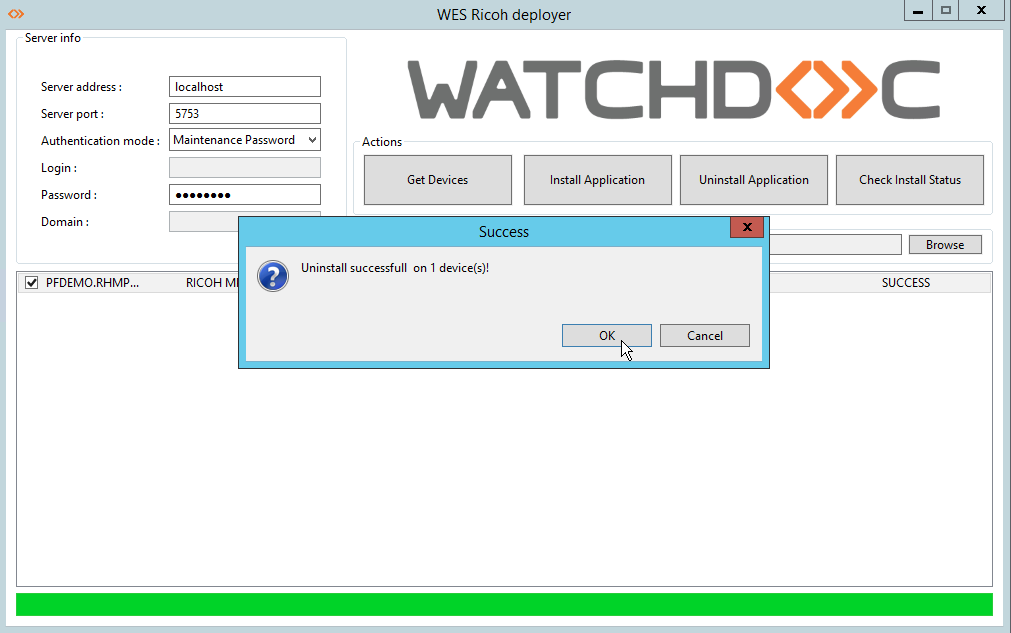
when the operation is complete, a message indicates that the uninstallation was successful on the selected device(s):
-
To view the details of the operation, click the “Check install” button.