Filters and rules - Application examples
| Printing policy | Role (Main menu > Roles & Services) | Policy on the Queue A - Events (apply a policy on the print queue) |
|
| Filter (configure a filter) | Action + parameter | ||
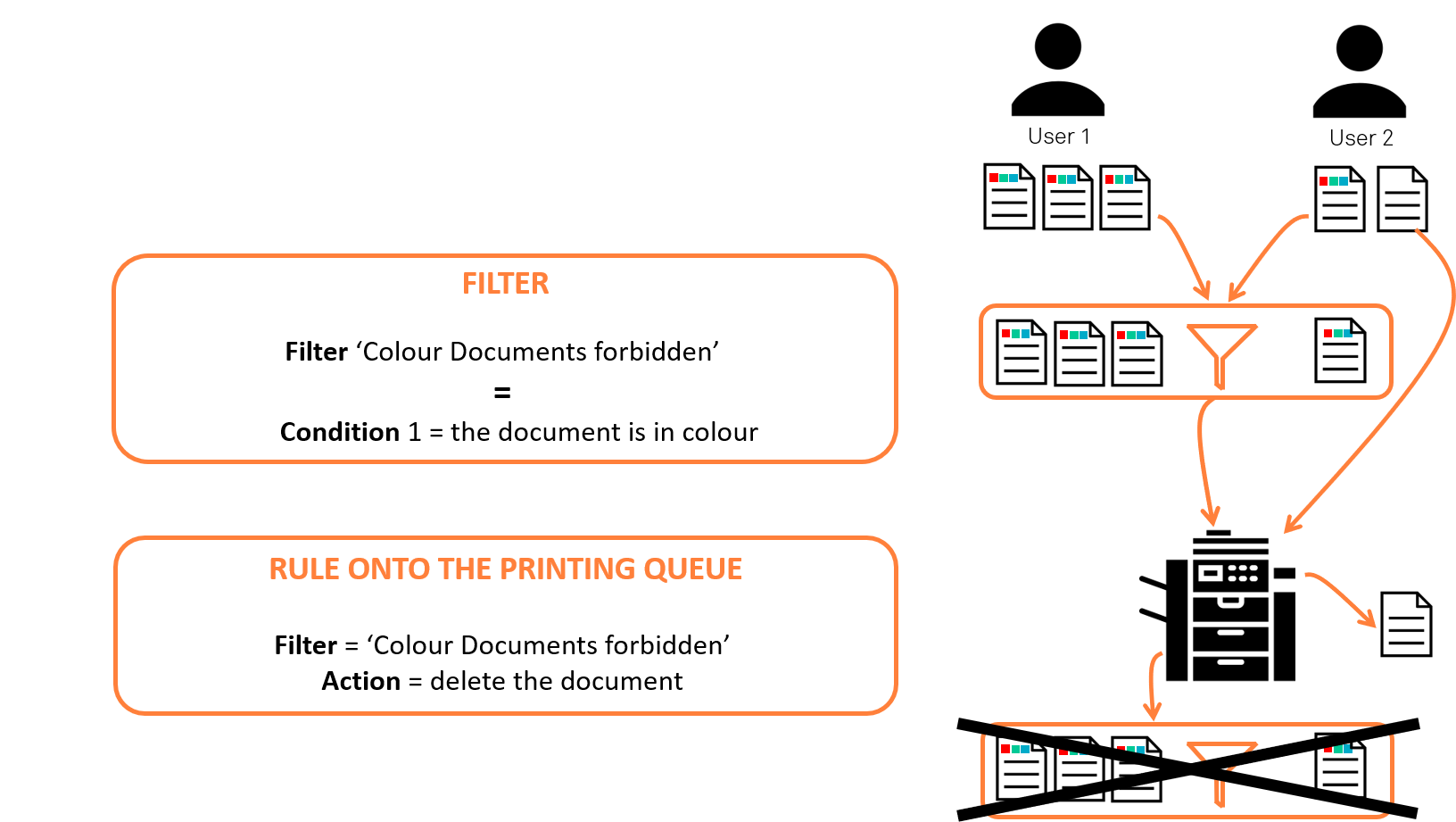
| Colour printing is not permitted on queue A | No role: The prohibition applies to all users. | Colour document (predefined filter) | Delete the document |
Restrict colour printing on queue AThe following rule stipulates that:
|
1 role per department to distinguish members of the Marketing department |
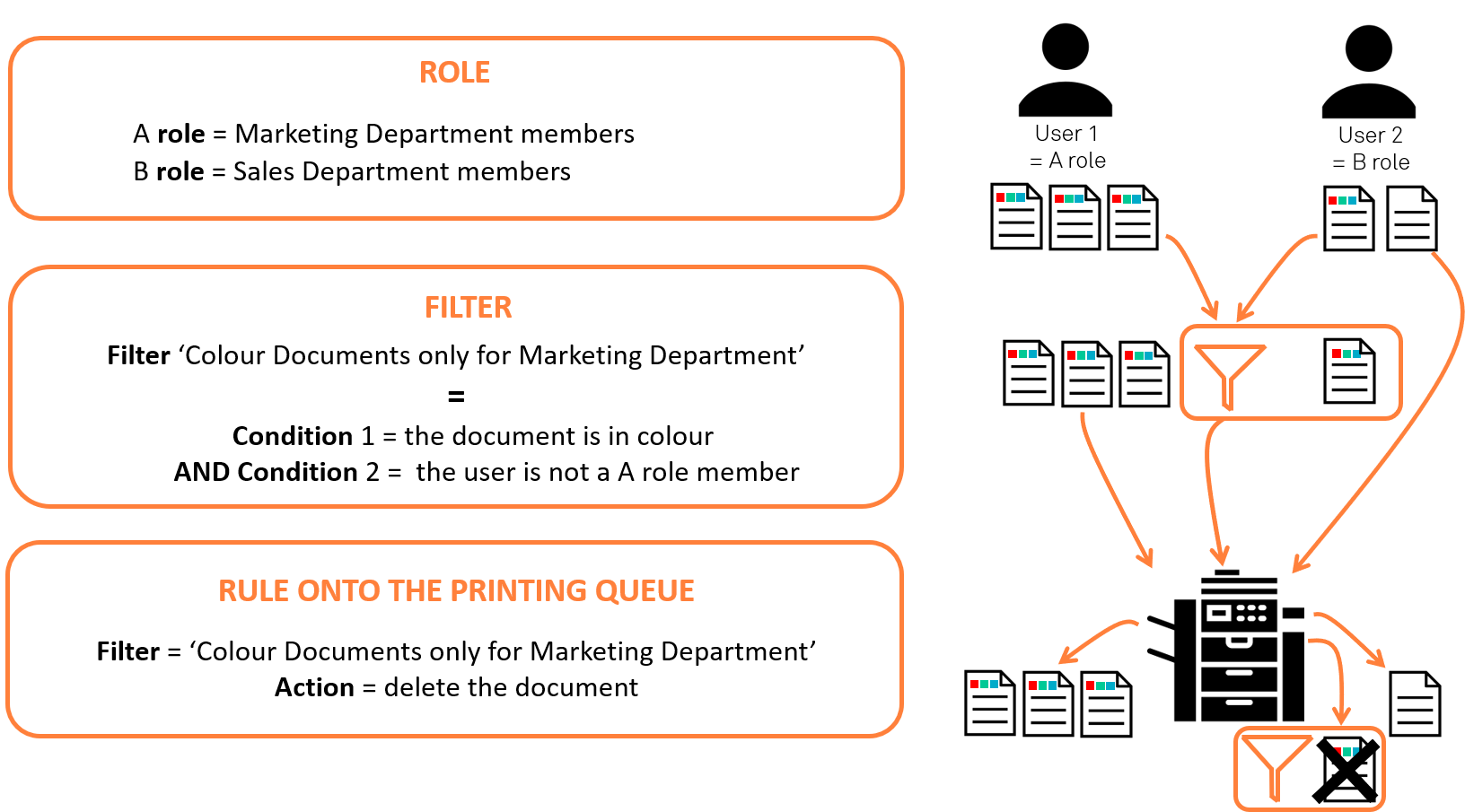
Colour document (predefined filter) + User is not member or the role "Marketing" |
Delete the document |
|
Enable suggestion on queue A
|
No role = the suggestion applies to all users |
1. Colour document (predefined filter) 2. Simplex document (predefined filter)
|
1. Suggest the N&B conversion 2. Suggest duplex conversion |
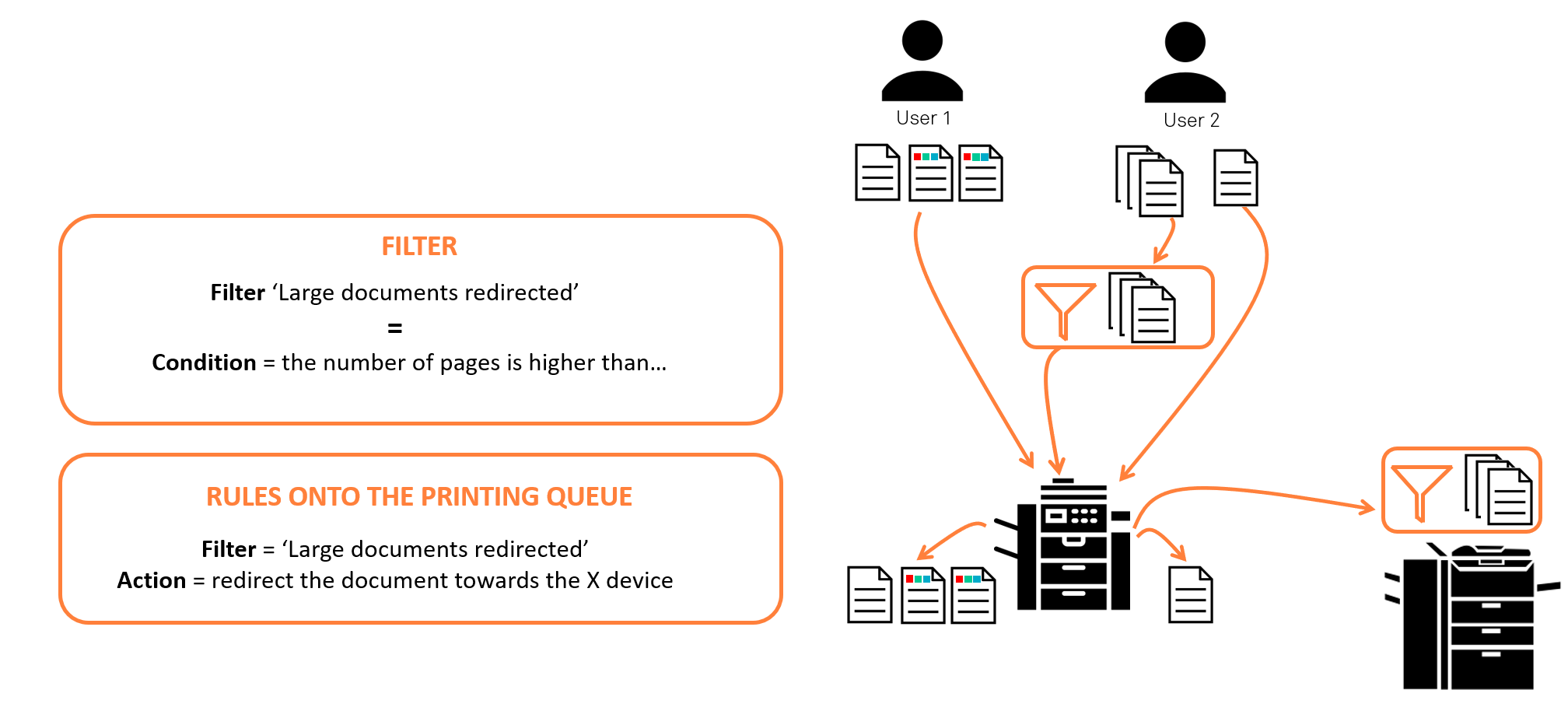
Redirecting large print jobsThe rule stipulates that documents exceeding 500 pages cannot be printed on queue A. These jobs are therefore redirected to queue B, which is optimised for large print jobs.
|
No role = the suggestion applies to all users |
Create a filter called ‘Large document’ Condition: ‘the number of pages is greater than...’ + parameter = 500 (pages) If true = select If false = Continue |
Redirect the document towards... + Parameter = queue B |
|
Convert all colour emails to black and white emails The rule requires that emails printed in colour be automatically converted to black and white prints. |
No role = the suggestion applies to all users | Colour E-mail (predefined filter) | Force Blanc&White conversion |
| Notify users (except VIPs) when they print in colour.
The rule aims to send a notification to users who print in colour so that they can validate or modify their printing criteria. |
Create a VIP role that includes members of senior management. | Colour document (predefined filter) |
Notify the document owner + ‘Print with warning’ setting |
| Prohibit printing of images, except for members of the Communication and Marketing departments.
The rule stipulates that users are not permitted to print documents, except for members of the Marketing and Communication teams. |
If the directory references the services (Mkt, Comm), there is no need to create specific roles. The filter uses the groups in the directory. |
Create a filter ‘Document type is...’ + parameter "image" + User is not a member of the group (Communication;Marketing) |
Delete the document |
Examples
Prohibit colour printing on a queue
The following rule states that colour documents are not allowed on the queue and are therefore deleted.
Restricting colour printing on a line
The following rule stipulates that :
-
colour documents may only be printed on the queue by members of the Marketing department ;
-
colour print jobs requested by members of other departments are suppressed.
Submit colour printing for validation
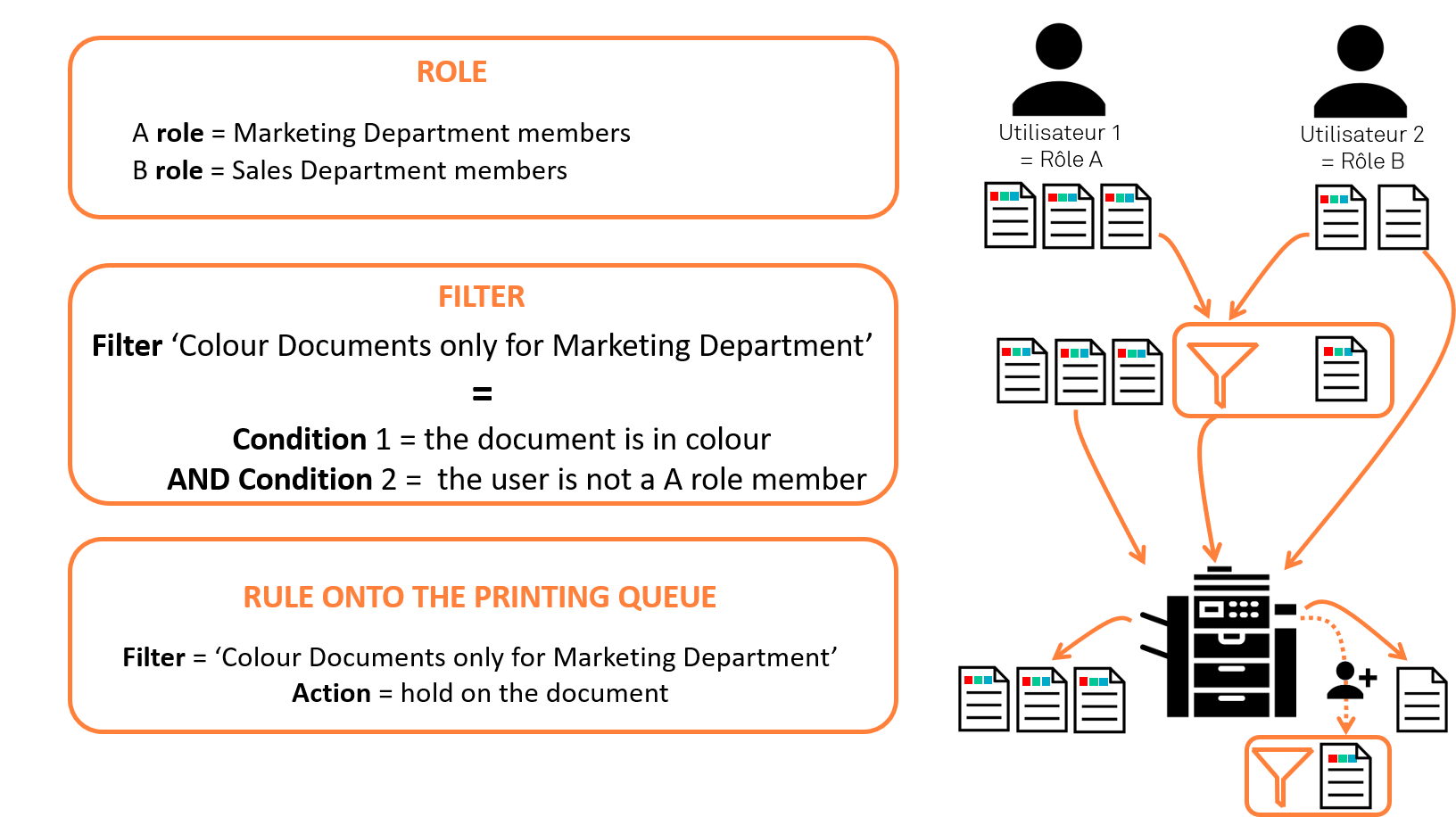
The following rule stipulates:
-
that colour documents may be printed on the queue by members of the Marketing department ;
-
and that colour print jobs requested by members of other departments must be approved by a superior.
-
These jobs are therefore blocked in the queue before being printed or deleted.
Redirecting large print jobs
The following rule states that documents exceeding a certain number of pages cannot be printed in the queue. These jobs are therefore redirected to a queue optimised for large print jobs.